 Skip to content

Keeping your website fresh and running smoothly is more important than ever. Over half of all global web traffic now comes from mobile devices, changing the stakes for anyone managing a site. Most people think updating a website is as simple as swapping out a few photos or tweaking some text. The truth is a proper website update can be the difference between a site that thrives and one that quietly disappears from search results.
Table of Contents
- Step 1: Backup Your Current Website Data
- Step 2: Review and Update Website Content
- Step 3: Optimize For Performance and SEO
- Step 4: Test Functionality and User Experience
- Step 5: Publish Updates and Monitor Changes
Quick Summary
| Key Point | Explanation |
|---|---|
| 1. Create a Full Backup of Your Website | Protect your site from data loss during updates by backing up all files, databases, configurations, and content in a secure location. |
| 2. Conduct a Comprehensive Content Review | Regularly audit your content for accuracy, relevance, and engagement to keep your site fresh and aligned with your goals. |
| 3. Optimize for Speed and SEO | Improve website loading speed and implement effective SEO strategies to enhance user experience and attract more visitors. |
| 4. Test All Site Functionality | Rigorously test your website’s navigation, forms, and media compatibility across devices to ensure a seamless user experience. |
| 5. Monitor Post-Publication Performance | After updates, use analytics tools to assess site performance and user engagement, making adjustments as necessary. |
Step 1: Backup Your Current Website Data
Every successful website update begins with a critical first step: creating a comprehensive backup of your existing site. This precautionary measure protects your digital investment and provides a safety net against potential data loss during the update process. Think of it like creating an insurance policy for your online presence.
Understanding Website Backup Essentials
Website backups involve capturing all essential components of your digital platform. This means preserving not just visible content, but your entire website architecture including databases, files, images, custom configurations, and dynamic content. According to Kinsta Web Development Resources, a complete backup should include your entire site structure, ensuring you can restore everything precisely as it was before the update.
To perform a comprehensive backup, you have multiple approaches. For WordPress sites, plugins like UpdraftPlus offer seamless backup solutions. For more complex websites, consider using your web hosting control panel’s built-in backup tools or specialized backup services. Critical elements to include in your backup:
- Full website files and directories
- Complete MySQL or SQL database
- Theme and plugin configurations
- Custom code snippets and modifications
- Email configurations (if applicable)
The backup process requires careful attention. Begin by accessing your website’s hosting control panel or utilizing specialized backup plugins. Select a full site backup option that captures all components simultaneously. Choose a secure storage location like cloud storage services such as Google Drive or Dropbox, ensuring your backup is stored separately from your primary hosting environment.
Verifying Your Website Backup
After creating your backup, verification is crucial. Download the backup file and perform a quick integrity check. Open compressed files to confirm all expected directories and files are present. Some advanced backup tools provide automatic verification mechanisms, but manual checking adds an extra layer of confidence.
Remember that backups are not a one-time task. Establish a regular backup schedule, ideally creating new backups before any significant website modifications. This proactive approach ensures you always have a recent, reliable restoration point, minimizing potential disruptions during your website update journey.
Here is a checklist to help you verify that your website backup is complete and reliable before making updates.
| Backup Requirement | Description | Verification Step |
|---|---|---|
| Full Files and Directories | All website files, folders, and static assets | Confirm presence in backup |
| Database Backup | Complete MySQL or SQL databases | Ensure latest data included |
| Theme and Plugin Configurations | Site appearance and functionality settings | Check in backup folder |
| Custom Code Snippets | Any unique modifications or scripts | Locate in relevant files |
| Email Configurations (if used) | Email setup tied to hosting or site | Verify email data is backed up |
| Secure Storage Location | Backup stored off-server (e.g., cloud service) | Confirm storage location |
| Integrity Check | Backup files are uncorrupted and restorable | Open/test backup files |
Step 2: Review and Update Website Content
After backing up your website, the next crucial step in your website update journey is a comprehensive content review. This process involves systematically examining every aspect of your site to ensure relevance, accuracy, and engagement. A thorough content audit helps refresh your online presence and maintain visitor interest.
Begin by accessing your website’s content management system or backend interface. Navigate through each page, section, and blog post with a critical eye. According to Carnegie Mellon University’s web best practices, content should be reviewed at least annually to maintain its effectiveness and accuracy.
Key Focus Areas for Content Review:
- Text accuracy and current information
- Spelling and grammatical consistency
- Relevance to current business or personal goals
- Visual coherence and image quality
- SEO optimization and keyword alignment
Start with your homepage and primary landing pages. These are your digital front doors and require the most attention. Read through each paragraph carefully, asking yourself whether the content truly represents your current messaging and goals. Remove outdated references, update statistics, and refresh language that might sound stale or disconnected from your current brand voice.
Optimizing Content for Modern Audiences
Website content should feel fresh, dynamic, and engaging. Replace long, dense paragraphs with concise, punchy text that communicates your message quickly. Use active voice and conversational language that speaks directly to your audience. Pay special attention to headings and first paragraphs, as these are critical for capturing reader attention and improving search engine visibility.
During your review, systematically check for broken links, outdated contact information, and references to past events or services. Update media like images and videos to ensure they reflect current branding and quality standards. Consider the user experience from multiple perspectives: How does a first-time visitor perceive your content? Does it clearly communicate your value proposition?
To verify your content update process, create a simple checklist. Confirm that each page has been reviewed, irrelevant content has been removed, and new information has been added where necessary. Take screenshots or notes during your review to track changes and ensure nothing important is overlooked. By approaching your content update methodically, you transform your website from a static digital brochure into a dynamic, engaging platform that truly connects with your audience.

Step 3: Optimize for Performance and SEO
Website performance and search engine optimization represent the backbone of your digital presence. This critical step transforms your website from a static collection of pages into a dynamic, easily discoverable platform that attracts and retains visitors. Performance optimization goes beyond mere aesthetics, directly impacting user experience and search engine rankings.
Begin by evaluating your website’s current loading speed and technical structure. Slow websites frustrate users and get penalized by search engines, making speed optimization a non-negotiable priority. Use free tools like Google PageSpeed Insights to diagnose performance bottlenecks. These diagnostic tools provide comprehensive reports highlighting specific areas requiring improvement.
Critical Performance Optimization Strategies:
- Compress and resize images for faster loading
- Minimize complex JavaScript and CSS files
- Enable browser caching
- Use content delivery networks (CDNs)
- Implement responsive design for mobile compatibility
Improving your website’s search engine optimization requires a multifaceted approach. According to Google’s SEO Starter Guide, technical optimization involves strategic keyword placement, creating meaningful metadata, and ensuring clean website architecture. Focus on developing clear, descriptive page titles and meta descriptions that accurately represent your content while incorporating relevant keywords naturally.
Technical SEO and User Experience
Website structure plays a crucial role in both user experience and search engine performance. Organize your site with clear, logical navigation that allows visitors to find information quickly. Create internal linking strategies that connect related content, helping users and search engine crawlers understand your website’s topical relationships. Ensure your URLs are clean, descriptive, and include relevant keywords when possible.
Mobile responsiveness is no longer optional. With over half of global web traffic coming from mobile devices, your website must look and function seamlessly across smartphones, tablets, and desktop computers. Use responsive design techniques that automatically adjust layout and formatting based on screen size. Test your website on multiple devices and browsers to guarantee a consistent, high-quality user experience.
To verify your optimization efforts, run comprehensive performance tests and review your results. Look for improvements in loading speed, mobile compatibility, and search engine rankings. Remember that optimization is an ongoing process requiring regular monitoring and incremental improvements. By investing time in these technical enhancements, you create a website that not only looks great but performs exceptionally across all platforms.
Step 4: Test Functionality and User Experience
After optimizing your website’s performance and content, the next critical step is comprehensive testing. This phase ensures that every element of your updated website functions flawlessly across different devices, browsers, and user scenarios. Thorough testing prevents potential frustrations and maintains your site’s professional appearance.
Begin by creating a systematic testing approach that covers multiple dimensions of website functionality. Start with basic navigation, clicking through every menu item, link, and interactive element to confirm they lead to the correct destinations. Pay special attention to forms, contact buttons, and any dynamic content that requires user interaction. Even the smallest broken link can create a negative user experience and diminish your site’s credibility.
Key Testing Focus Areas:
- Cross-browser compatibility
- Mobile responsiveness
- Form submission functionality
- Payment gateway connections
- Media loading and playback
- Search functionality
- User login and account management
According to Usability.gov’s testing guidelines, user experience testing goes beyond technical functionality. It involves understanding how real users interact with your website. Consider recruiting a small group of test users who represent your target audience. Observe their navigation patterns, note any points of confusion, and gather direct feedback about their experience.
Device and browser compatibility testing is crucial in today’s diverse digital landscape. Your website must perform seamlessly on smartphones, tablets, laptops, and desktop computers. Use browser testing tools that simulate different screen sizes and operating systems. Check how your site looks and functions on popular browsers like Chrome, Firefox, Safari, and Edge. Pay attention to layout consistency, text readability, and interactive element responsiveness.
Performance testing complements functionality checks. Use tools like Google PageSpeed Insights to verify loading times across different devices. Simulate various network conditions to understand how your website performs under less-than-ideal internet connections. Slow or inconsistent performance can drive potential visitors away, so addressing these issues is paramount.
To verify your testing process, create a comprehensive checklist documenting each test performed and its results. Record any issues discovered, prioritize them by severity, and develop a plan for immediate resolution. Remember that website testing is not a one-time event but an ongoing process. Regular testing helps you maintain a high-quality, user-friendly digital presence that adapts to changing technologies and user expectations.
The table below summarizes the main testing focus areas and why each is critical for ensuring a smooth user experience after your website update.
| Test Area | What to Check | Why It Matters |
|---|---|---|
| Cross-browser Compatibility | Site displays and functions on all browsers | Ensures all users have the same access |
| Mobile Responsiveness | Layout and features on phones/tablets | Over half of traffic is mobile |
| Form Submission | Contact/signup forms send/receive correctly | Critical for conversions and support |
| Payment Gateways | Sales/donation/payment processing | Revenue and trust depend on this |
| Media Loading/Playback | Images, videos, and audio load and play | Engages users and shows professionalism |
| Search Functionality | Search bar finds correct content | Helps visitors locate information |
| User Login/Account Mgmt | Registration, login, and profile actions work | Core user features |
Step 5: Publish Updates and Monitor Changes
With comprehensive testing complete, you’re ready to publish your website updates. This final stage transforms all your preparatory work into a live digital experience. Publishing is not just about making changes visible, but about strategically rolling out updates to minimize disruption and maximize user engagement.
Choose a strategic time for publishing your updates, preferably during low-traffic periods. Many website administrators prefer early morning hours or late evening to minimize potential user inconvenience. If your website serves a global audience, consider time zones and select a window that impacts the fewest users.
Critical Publishing Considerations:
- Select low-traffic time windows
- Prepare a rollback strategy
- Notify key stakeholders
- Have technical support ready
- Document all changes made
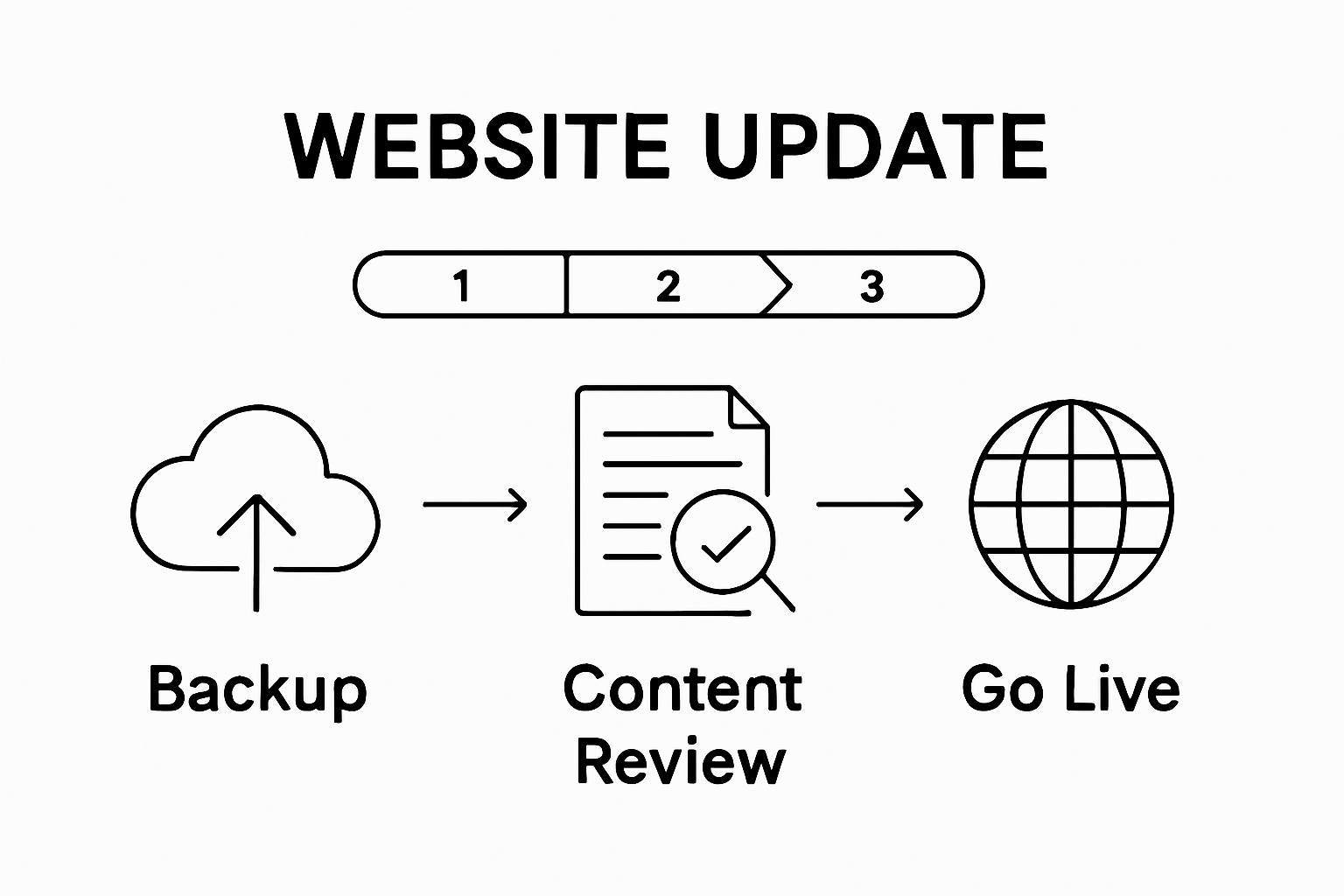
According to Carnegie Mellon University’s web best practices, post-publication monitoring is as crucial as the update process itself. Immediately after publishing, conduct a comprehensive review to ensure all elements function correctly. Navigate through your website from multiple devices, checking that layout, functionality, and content appear exactly as intended.
Utilize web analytics tools like Google Analytics to track the immediate impact of your updates. Monitor key performance indicators such as page load times, user engagement metrics, bounce rates, and visitor navigation patterns. These insights will help you understand how your updates are perceived and performing. Pay special attention to any significant changes in user behavior or site performance that might indicate potential issues.
Establish a systematic approach to ongoing website maintenance. Set up regular monitoring schedules where you review website performance, check for broken links, and assess content relevance. Create a calendar for periodic reviews, ensuring your website remains current, functional, and aligned with your evolving business or personal objectives. Consider setting up automated monitoring tools that can alert you to potential performance issues or security vulnerabilities.
To verify the success of your update process, compile a comprehensive report documenting all changes, performance metrics, and user feedback. This documentation serves as a valuable reference for future updates and helps track your website’s continuous improvement. Remember that website maintenance is an ongoing journey, not a one-time event. Stay proactive, remain curious about emerging web technologies, and always be prepared to adapt and evolve your digital presence.
Ready to Elevate Your Website Performance?
If you found our step-by-step website update guide helpful but still face challenges with slow site speeds, outdated content, or technical hiccups, you are not alone. Many website owners struggle with ensuring regular backups, optimizing for SEO, and keeping everything running smoothly. These pain points can make updating your site feel overwhelming. For more expert advice on software issues or improving digital workflows, check out our practical resources in the Software section.
Do not let website frustrations slow you down. Unlock more simple solutions, actionable tips, and fresh inspiration at BreezyTips.com. Whether you want quick fixes for tech headaches or strategies to streamline your online presence, we are here to help you succeed today. Explore our latest articles and guides to keep your website a step ahead.
Frequently Asked Questions
How do I backup my website before updating?
To backup your website, you can use your web hosting control panel or backup plugins like UpdraftPlus for WordPress. Ensure you capture all essential components, including files, databases, and configurations, and store them securely in a separate location like Google Drive or Dropbox.
What should I focus on when reviewing my website content?
When reviewing your website content, pay attention to accuracy, relevance, spelling, grammar, and SEO optimization. It’s crucial to ensure that all information is up-to-date and aligns with your current business goals.
How can I optimize my website for better performance?
To optimize your website for performance, compress images, minimize JavaScript and CSS files, enable browser caching, and use content delivery networks (CDNs). Additionally, ensure that your website is responsive to different devices for improved user experience.
What steps should I take to test my website functionality?
Test your website functionality by checking for cross-browser compatibility, mobile responsiveness, form submissions, media loading, and dynamic content interactivity. Conduct usability testing with real users to gather feedback on their experience.






