Skip to content
The world of home security has moved far beyond simple locks and a barking dog. Today, protecting your property means leveraging the power of connectivity with Smart Home Security systems. For beginners, the process can seem overwhelming, with countless devices, platforms, and technical jargon to navigate.
The good news? Modern Smart Home Security is easier to install and manage than ever before. This comprehensive, step-by-step guide will demystify the process, helping you select the right components, set them up correctly, and ensure your home is protected with a reliable, intelligent security network.
Table of Contents
The Foundation: Planning Your Smart Home Security System
Before buying the first piece of equipment, a strategic approach is essential. A well-planned setup saves money and ensures comprehensive coverage. Think of this as the blueprint for your digital fortress.
1. Assess Your Home’s Vulnerabilities
Walk through your home, inside and out, with a security mindset. Where are the weak points?
- Entry Points: Every door and ground-floor window should be considered.
- High-Value Areas: Rooms containing jewelry, cash, or expensive electronics.
- Blind Spots: Areas around the perimeter that a standard camera might miss.
- Environmental Risks: Basements or attics prone to water leaks or fire.
A small apartment may only need a single camera and a few door/window sensors. A large, multi-story house will require a more extensive network, possibly including motion sensors, outdoor cameras, and glass-break detectors.
2. Choose Your Ecosystem and Connectivity
The choice of ecosystem is critical, as it determines which devices will talk to one another. The major players are:
- Amazon Alexa (via Ring or Blink): Excellent for users already invested in Amazon’s platform.
- Google Home (via Nest): Ideal for those who rely on Google Assistant and Android devices.
- Apple HomeKit: Best for users committed to the Apple environment for robust privacy.
- Dedicated Security Brands (SimpliSafe, Abode, etc.): These offer proprietary hubs that provide dedicated security features, often with greater reliability and professional monitoring options.
For a beginner-friendly, high-traffic-compatible choice, brands like Ring Alarm or SimpliSafe are popular for their intuitive app interfaces and DIY installation ease. For more detail on how these systems integrate with other appliances, check out our guide on How Smart Home Automation Integrates with Existing Systems.
Essential Components of Your Smart Home Security Setup
Every effective Smart Home Security system is built from several key devices. These are the tools that monitor, detect, and deter intruders.
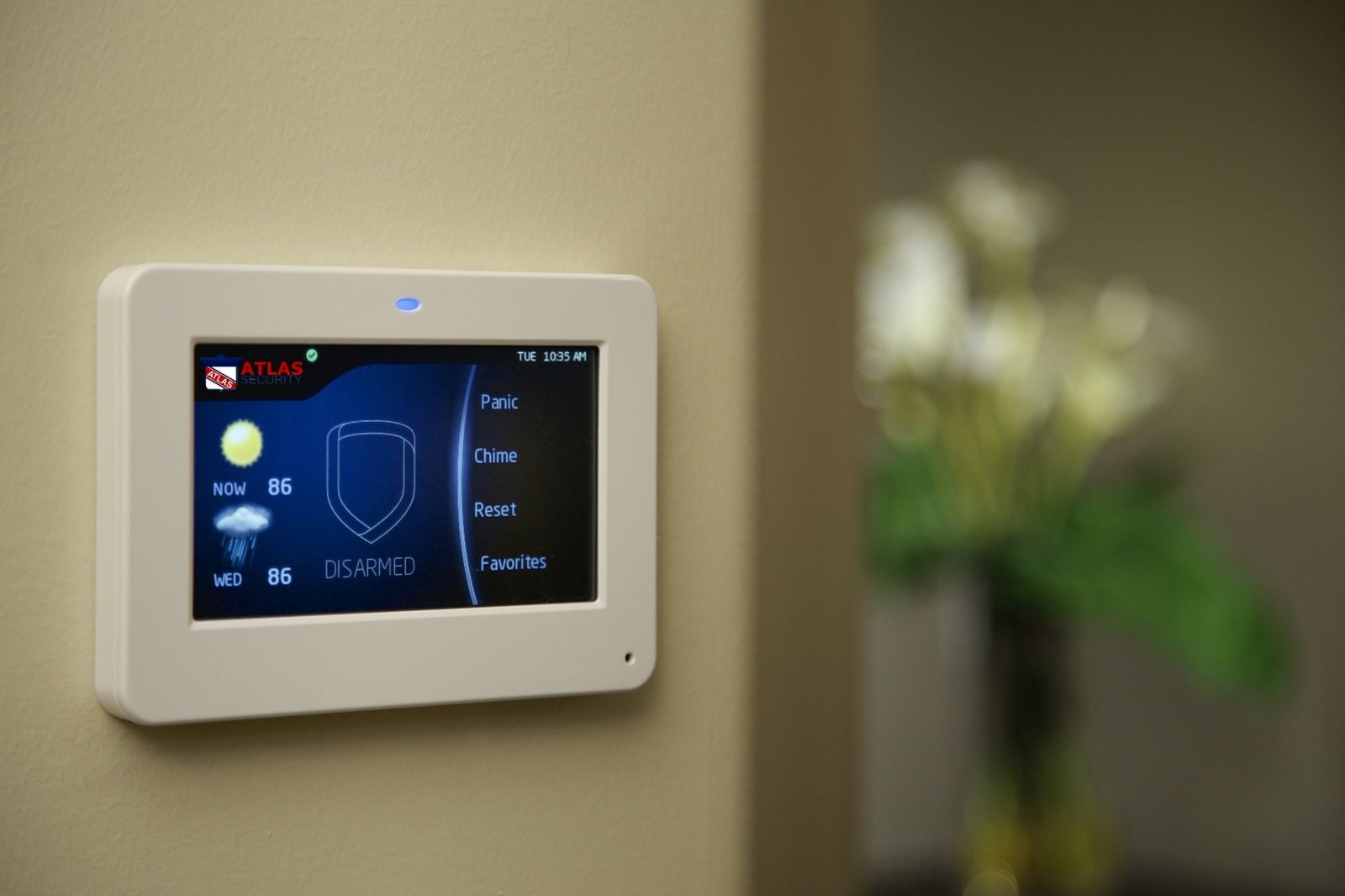
1. The Hub or Control Panel (The Brain)
This is the central point of your system. It links all the individual devices (sensors, cameras, etc.) to your Wi-Fi network and often provides a cellular or battery backup in case of power or internet failure.
- Function: Arms and disarms the system, manages settings, and communicates with the monitoring center (if you have one).
- Placement: Place it centrally, often near the main entry door, but not in a conspicuous spot where an intruder could easily smash it.
2. Door and Window Sensors (The First Line of Defense)
These are magnetic sensors applied to entry points. When the connection between the two magnetic pieces is broken (by opening the door or window), the alarm is triggered.
- Function: Detects unauthorized opening of entry points.
- Placement: Install on all ground-floor doors, basement windows, and any easily accessible entry points.
3. Motion Sensors (The Indoor Guard)
Motion sensors use infrared technology to detect movement. They are often used to cover large areas like a living room or a long hallway.
- Function: Detects movement within a secured zone when the system is armed.
- Placement: Mount them in corners 6-8 feet high to maximize coverage. If you have pets, ensure you buy a “pet-friendly” motion sensor to avoid false alarms.
4. Security Cameras (The Eyes)
Cameras, both indoor and outdoor, provide crucial visual evidence and act as a strong deterrent.
- Outdoor Cameras: Look for weather-resistant models with 1080p resolution or higher, wide-angle views, and night vision. Place them to cover key entry points like the front door, driveway, and backyard.
- External Link Tip: For a deeper dive on selecting the best camera, consult a highly-trafficked resource like CNET’s comprehensive camera reviews.
- Video Doorbells: A must-have, as they cover the most common entry point and allow for two-way communication.
5. Smart Locks (The Hardened Access)
While not always part of the basic kit, a smart lock allows you to lock/unlock your door remotely, grant temporary access codes, and ensure the door is locked when you arm the system.
Step-by-Step Installation Guide for Beginners
This process focuses on a common DIY wireless system, which is the most beginner-friendly choice.
Step 1: Prepare Your Network 📶
Your Smart Home Security is only as reliable as your Wi-Fi.
- Strengthen Your Signal: Ensure your router is centrally located and that your Wi-Fi signal reaches all installation points, especially outdoor cameras. For large homes or detached garages, a mesh Wi-Fi network may be necessary. For tips on maximizing your home network’s efficiency, see our article on Maximizing Your Home Network’s Wireless Range.
- Download the App: Download the system’s dedicated mobile app (e.g., SimpliSafe App, Ring App) and create your account. This app will be your primary control center.
Step 2: Install and Power the Hub
- Power On: Plug the main hub into a power outlet. It’s best to use an outlet that is not connected to a wall switch.
- Connect to Wi-Fi: Follow the on-screen or in-app instructions to connect the hub to your home Wi-Fi network. The hub will usually have a unique pairing code you need to scan or enter.
Step 3: Place and Pair the Sensors
The sensors are the easiest components to install. They typically use a peel-and-stick adhesive, eliminating the need for drilling.
- Identify Zones: In the app, name the sensor location (e.g., “Front Door,” “Kitchen Window”).
- Mount: Peel off the adhesive backing and firmly press the sensor pieces onto the door/window frame and the door/window itself. The two pieces must be aligned and close enough (usually within half an inch) to maintain a connection when the door/window is closed.
- Test: Open and close the protected entry point to confirm the app registers the change. The hub will usually give an audio confirmation.
Step 4: Install Cameras and Doorbells
Cameras often require a bit more precision, especially outdoor models.
- Video Doorbell: Replace your existing doorbell (if wired) or simply mount the wireless version at the recommended height. Follow the app instructions to connect it and test the video feed and two-way audio.
- Outdoor Cameras: Mount the cameras high enough (typically 8–10 feet) to prevent tampering and ensure they cover the area without significant obstruction. The camera should capture a person’s face approaching the door, not just the top of their head.
- Field of View: Check the live feed in your app to confirm there are no blind spots. Adjust the camera angle as needed.
Step 5: Configure Settings and Notifications
This step moves from hardware to software and is essential for personalization.
- Set Up Users: Add family members to the system, giving them unique access codes and app permissions.
- Customize Modes: Configure your Smart Home Security system’s modes:
- Home/Stay: Typically arms door/window sensors but disarms interior motion sensors so you can move freely.
- Away: Arms all sensors, inside and out.
- Tailor Alerts: Set up which events trigger an immediate notification on your phone (e.g., “Motion Detected in Driveway” or “System Disarmed”). Avoid excessive notifications, which can lead to “alert fatigue.”
- Integration: Link your security system to your voice assistant (Alexa or Google Home) for hands-free control, such as saying, “Alexa, arm the system.”
The Final Layer: Monitoring and Maintenance
Once installed, your system needs a monitoring plan and ongoing upkeep to remain effective.
Professional vs. Self-Monitoring
| Feature | Professional Monitoring | Self-Monitoring |
| Response | 24/7 Monitoring Center calls you and then dispatches police/fire. | Alert is sent only to your phone; you must call emergency services. |
| Cost | Requires a monthly fee (e.g., $15–$50/month). | Typically free, only requiring the initial equipment cost. |
| Reliability | Highest. Uses cellular backup; response is guaranteed. | Relies on your availability and cellular signal. |
| Best For | Homeowners, families, those who travel frequently. | Renters, budget-conscious users, small apartments. |
Export to Sheets
For maximum peace of mind, most security experts recommend professional monitoring. The cost is minor compared to the potential loss from a successful break-in. Furthermore, your homeowner’s insurance may even offer a discount for a professionally monitored system. A good comparison of services can be found on high-authority sites like The Verge’s annual security system breakdown.
Ongoing Maintenance Checklist 🛠️
A truly effective Smart Home Security system requires proactive maintenance:
- Test Batteries: Most wireless sensors and doorbells run on batteries. The app will usually alert you, but manually check every six months.
- Check Firmware Updates: Routinely check the app for firmware updates for your hub and cameras. Updates often include crucial security patches.
- Clean Lenses: Outdoor camera lenses can get dirty from dust, rain, and insects. A clean lens ensures a clear video feed and reliable motion detection.
- Test the Alarm: Perform a full system test (most apps have a test mode) at least once a quarter. This verifies the sensors are communicating and the siren is functional.
Conclusion: Securing Your Future with Smart Home Security
Setting up your Smart Home Security system doesn’t have to be a daunting task. By following these steps—from planning your needs to integrating your final components and maintaining your system—you can build a reliable, user-friendly shield for your home.
The peace of mind that comes from knowing you can monitor your property from anywhere, receive instant alerts, and deter criminals with smart technology is invaluable. Embrace the power of Smart Home Security today and take control of your home’s protection.