Skip to content
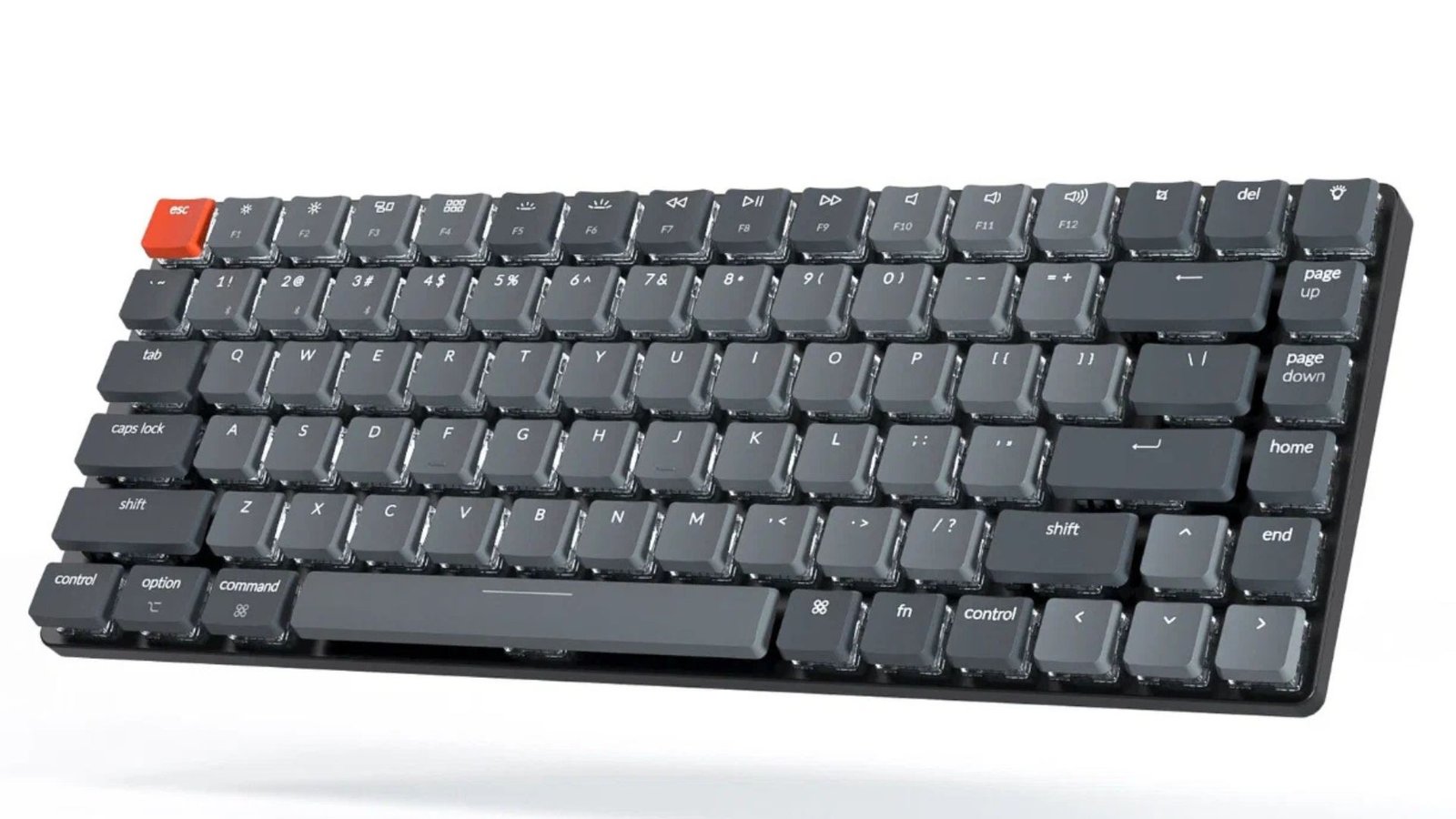
In the world of PC peripherals, no component holds the dual power of functionality and personal expression quite like the mechanical keyboard. What started as a niche preference for programmers and competitive gamers has exploded into a mainstream hobby, and for good reason: a customized mechanical keyboard isn’t just a tool—it’s an extension of your unique workflow and aesthetic.
The true beauty of the mechanical keyboard community lies in the modularity of the design, specifically the switches and keycaps. These two components are the heart and soul of the typing experience, governing everything from the sound and feel of each keystroke to the overall visual presence on your desk. This deep dive will guide you through the technical aspects and creative choices necessary to build a mechanical keyboard that is perfectly tuned to your preferences.
Table of Contents
The Heart of the Keystroke: Mechanical Switches
The switch is arguably the most critical component in defining the feel of your mechanical keyboard. It’s the mechanism beneath the keycap that registers your input. Modern switches, largely based on the design pioneered by Cherry, fall into three distinct categories, often color-coded for quick identification.
1. Linear Switches (The Smooth Operators)
Linear switches provide a smooth, consistent actuation from the moment you press the key until you bottom out (hit the keyboard’s baseplate). There is no tactile bump or audible click to signal the keystroke registration.
- Feel: Light and fluid, like a straight line.
- Use Case: Ideal for fast-paced gaming where rapid, repeatable key presses (double-tapping) are essential. Their consistency also makes them popular for quiet office environments.
- Examples: Cherry MX Red, Gateron Yellow, Kailh Speed Silver.
2. Tactile Switches (The Feedback Kings)
Tactile switches feature a noticeable, non-audible bump about halfway through the keypress, precisely at the actuation point. This bump confirms to your finger that the keypress has been registered.
- Feel: A distinct, yet quiet “hump” that lets you feel when the key fires.
- Use Case: Highly favored by heavy typists or coders who appreciate the physical confirmation of each keystroke without needing a loud click.
- Examples: Cherry MX Brown, Zealio V2, Holy Panda.
3. Clicky Switches (The Sound Enthusiasts)
Clicky switches are the loudest and most distinct type. They operate similarly to tactile switches but include a separate, small mechanism (often a ‘click jacket’) that produces a sharp, audible “click” sound right when the actuation point is passed.
- Feel: A tactile bump combined with a loud, satisfying sound.
- Use Case: For those who desire maximum auditory feedback, often used in solitary workspaces where noise is not a concern.
- Examples: Cherry MX Blue, Kailh Box White, Outemu Blue.
Actuation Force and Distance
Beyond the type of feedback, you need to consider the physical specifications of the switch, which directly impact how the mechanical keyboard feels to type on.
- Actuation Force: Measured in grams (g), this is the amount of force required to register a keypress. Lighter switches (e.g., 35g-45g) are fast and prevent finger fatigue, but can lead to accidental presses. Heavier switches (e.g., 60g-80g) require more deliberate action.
- Actuation Distance: Measured in millimeters (mm), this is the distance the key must travel to register an input. Standard is 2.0mm; “speed” switches often have shorter distances (e.g., 1.2mm), which are great for gaming but can be challenging for accurate typing.
Beyond the Basics: Switch Modification (Lube, Film, and Hotswap)
For the enthusiast, buying pre-assembled switches is just the first step. The true path to a premium mechanical keyboard feel involves detailed modification.
Switch Lubing
Lubricating a switch involves disassembling it and applying a specialized lubricant (like Krytox 205g0 for linear or Tribosys 3203 for tactile) to the stem, springs, and housing rails.
- Benefit: This process eliminates the scratchiness inherent in most stock switches, resulting in an incredibly smooth, deep, and satisfying sound profile. Lubing springs also removes the dreaded spring ping noise.
Switch Filming
Switch film is a thin piece of plastic or foam inserted between the top and bottom housing of the switch.
- Benefit: Filming reduces housing wobble and stabilizes the switch, tightening tolerances and further improving the acoustic profile of your mechanical keyboard.
The Hot-Swappable Advantage
For newcomers to the hobby, choosing a hot-swappable PCB (Printed Circuit Board) is highly recommended. Unlike soldered boards, a hot-swappable board allows you to pull and replace switches using a simple tool without ever needing to solder. This makes experimenting with different switches a breeze. If you are interested in a deeper look at PC peripherals and integrating custom parts into a complete setup, you might find a comprehensive guide on PC components over at breezytips helpful for planning your full rig.
For an in-depth breakdown and audible demonstration of different switch types, including the history of the Cherry MX color standard, consult a reputable resource like this detailed analysis from PC Gamer. [External Link: PC Gamer Guide].
The Aesthetics and Feel: Keycaps
While switches handle the function, keycaps provide the aesthetic and tactile surface your fingers interact with. Choosing the right keycaps is essential for completing the look and feel of your custom mechanical keyboard.
Keycap Materials: ABS vs. PBT
The material of the keycap dictates its texture, durability, and acoustic properties.
PBT (Polybutylene Terephthalate)
- Pros: Highly durable, resistant to oils (meaning they won’t develop an oily shine, or “shine out,” over time), and provides a textured, often matte finish. PBT keycaps tend to produce a lower-pitched, deeper sound (“thocc”) when bottoming out.
- Cons: Can be more expensive and typically harder to manufacture with complex color schemes.
ABS (Acrylonitrile Butadiene Styrene)
- Pros: Easy to manufacture with vibrant colors and complex designs. ABS is generally smoother than PBT.
- Cons: Prone to shining out over time due to finger oils, which many enthusiasts dislike. ABS often produces a higher-pitched, brighter sound (“clack”).
For a thorough comparison of PBT and ABS plastics in relation to keyboard performance and longevity, take a look at this detailed guide on keycap materials from Tom’s Hardware. [External Link: Tom’s Hardware Guide].
Keycap Manufacturing: Double-Shot vs. Dye-Sublimation
The way the legend (the letter or symbol) is applied to the keycap determines its longevity and clarity.
- Double-Shot: This is considered the gold standard. Two separate pieces of plastic are molded together: the legend is one piece, and the surrounding keycap body is the second. This means the legend is physically part of the keycap and will never fade, chip, or wear away, lasting as long as the keycap itself.
- Dye-Sublimation (Dye-Sub): In this process, dye is infused into the plastic itself. While not as durable as double-shot, the legend is highly resistant to wear and is a great method for applying intricate, multi-color designs, particularly on PBT plastic.
Keycap Profile: The Sculptural Difference
The keycap profile refers to the shape and height of the caps. It significantly impacts typing comfort and aesthetics.
| Profile | Height/Sculpt | Feel/Use |
| OEM | High-profile, aggressively sculpted rows. | Standard on most pre-built gaming keyboards. |
| Cherry | Medium-height, less aggressive sculpt than OEM. | Highly popular due to its comfortable, lower profile and excellent sound. |
| SA | Very tall, spherical top. Uniform or sculpted. | Very retro look, deep acoustics, but a long travel distance. |
| XDA/DSA | Uniform height across all rows, spherical tops. | Great for non-standard layouts or users who need consistent finger placement. |
Finding the right profile can drastically change your typing speed and comfort. When considering how to optimize your workspace, from your keyboard to your chair setup, understanding proper ergonomics is crucial for long-term health.
Building Your Dream Mechanical Keyboard
The journey to your perfect mechanical keyboard culminates in the assembly phase. The steps are simple, but the impact is profound.
1. The Right Foundation
Start with a case, plate, and PCB. The case material (aluminum, plastic, polycarbonate) affects the keyboard’s weight and sound. Aluminum is premium and rigid, producing a crisp sound, while polycarbonate and plastic cases often yield a deeper, quieter sound profile due to dampening.
2. Assembly and Sound Tuning
If you chose a hot-swappable PCB, installing the switches is as easy as pushing them into the sockets. For advanced sound tuning, you may want to install stabilizers—the parts under the large keys like Spacebar, Enter, and Shift. Stabilizers prevent wobble and rattle, and lubing them is non-negotiable for a professional, quiet sound.
Finally, the keycaps are added. Simply press the chosen keycap onto the cross-shaped stem of the switch until it is fully seated. The process of building a mechanical keyboard is deeply satisfying, turning a collection of parts into a highly personalized tool. The collective efforts of choosing the right switch, lubing for smoothness, and selecting a keycap profile is what transforms a standard peripheral into a bespoke typing instrument.
The passion for mechanical keyboard customization is driven by the search for the perfect combination of tactile feedback, acoustic profile, and visual appeal. Whether you’re a gamer needing lightning-fast linear switches or a writer craving the auditory confirmation of clicky keys, the sheer variety of options ensures that your perfect board is waiting to be built. Dive in, experiment, and enjoy the click-clack journey!