Skip to content
In the rapidly evolving landscape of digital interaction, the need for precision tools has never been greater. The humble finger simply can’t compete with the accuracy required for detailed digital art or efficient, legible note-taking. This is where the Digital Pen and stylus step in, transforming the way artists create and professionals work on tablets, laptops, and smart notebooks. Choosing the right one, however, can be a complex decision. This in-depth review breaks down the best tools available, guiding you through the essential features and top contenders for both creative professionals and dedicated note-takers.
Table of Contents
Understanding the Difference: Digital Pen vs. Stylus
While the terms “Digital Pen” and “stylus” are often used interchangeably, there’s a crucial technical distinction that impacts functionality and price. Understanding this difference is the first step in finding your perfect tool.
| Feature | Passive Stylus (Capacitive) | Active Stylus (Often a “Digital Pen”) |
| Technology | Simply conductive material, mimics a finger. | Has internal electronics, communicates with the screen. |
| Power | None required (Passive). | Battery-powered (Rechargeable or disposable). |
| Pressure Sensitivity | No. | Yes, often with thousands of levels (e.g., 4096, 8192). |
| Tilt Sensitivity | No. | Yes, allows for natural shading. |
| Palm Rejection | No. | Yes, the screen only registers the pen’s input. |
| Typical Use | Basic navigation, tapping, general note-taking. | Professional drawing, detailed illustration, precise handwriting. |
A basic, passive stylus is essentially just a conductive tip, useful for general navigation or keeping a screen smudge-free. A true Digital Pen (or active stylus) incorporates sophisticated technology—like Bluetooth or proprietary magnetic resonance—to deliver features like pressure sensitivity, which is vital for varying line thickness and opacity in artwork, and palm rejection, which lets you rest your hand naturally on the screen while writing. For anyone serious about digital art or professional note-taking, an active stylus, or Digital Pen, is the only viable choice.
Key Features That Define a Superior Digital Pen
When evaluating your next Digital Pen, several key features separate the premium tools from the average ones. Prioritizing these features ensures you invest in a tool that truly enhances your workflow.
1. Pressure Sensitivity
This is the most critical feature for artists. Measured in levels (e.g., 4096, 8192), pressure sensitivity dictates how well the pen can translate the force you apply into varying line properties—thicker or darker lines for a harder press, and thinner or lighter lines for a softer touch. A high level of sensitivity (8192 is considered professional-grade) allows for expressive and natural-feeling artwork, closely mimicking traditional media.
2. Tilt Recognition
Tilt sensitivity enables a Digital Pen to detect the angle at which you are holding it. This is essential for natural-looking shading, allowing you to tilt the pen to get a wider, softer stroke, much like tilting a pencil on paper. This feature is a must for digital artists and illustrators.
3. Palm Rejection
Have you ever tried to write on your tablet only for stray marks to appear from your resting hand? That’s where palm rejection technology shines. It allows your device to ignore contact from your palm and only register the Digital Pen’s input, providing a natural and comfortable writing or drawing experience. You can find more details on how this technology works and its benefits for Digital Pen users on our site: Advanced Palm Rejection Technology.
4. Low Latency (Responsiveness)
Latency is the delay between when the Digital Pen touches the screen and when the line appears. High latency is distracting and makes the tool feel sluggish and unnatural. Top-tier digital pens boast ultra-low latency, making the experience feel immediate, like writing on actual paper. This is a non-negotiable for fast note-takers and anyone needing fluid, real-time drawing.
5. Ergonomics and Build Quality
A good Digital Pen should feel balanced and comfortable, especially for extended use. Consider the grip material, weight, and shape. Many manufacturers offer options with an ergonomic design to prevent hand fatigue, a common issue for digital artists. For example, some models have a triangular shape, similar to a traditional graphite pencil, while others focus on a slick, cylindrical build.
6. Battery Life and Charging
Most active digital pens require charging. Look for models with long battery life (10+ hours of continuous use) and convenient charging methods, such as magnetic attachment/wireless charging (like the Apple Pencil 2nd Generation and Samsung S Pen) or simple USB-C charging.
The Best Digital Pens for Artists and Note-Takers in 2025
The market is dominated by brand-specific and universal digital pens. Your choice will largely depend on the device you own (iPad, Android tablet, or Windows device).
Top Contenders for Apple Users
The iPad ecosystem offers some of the most refined digital pen experiences, primarily dominated by Apple’s own offerings.
1. Apple Pencil (2nd Generation / Pro)
The undisputed king for iPad users.
- Key Features: Industry-leading low latency, perfect pixel precision, magnetic pairing and wireless charging. The new Apple Pencil Pro adds advanced features like Squeeze (to pull up tool palettes), Barrel Roll (for precise control of brushes), and haptic feedback, making it the most feature-rich Digital Pen for creative professionals.
- Best For: Professional artists, illustrators, and anyone seeking the most seamless integration and advanced features on an iPad Pro or iPad Air.
2. Logitech Crayon
A more budget-friendly and durable alternative.
- Key Features: Built with a durable, flattened design to prevent rolling, tilt support, and excellent palm rejection. It’s more affordable than the Apple Pencil and works with a wide range of newer iPads.
- Best For: Students, budget-conscious users, and classroom environments where durability is a priority.
Top Contenders for Android and Samsung Users
Android tablet users often turn to the Samsung S Pen, which sets the standard for the platform.
1. Samsung Galaxy S Pen
The default, high-performance Digital Pen for Samsung Galaxy devices.
- Key Features: Often included with Galaxy Tab and Note series devices. Offers 4096 levels of pressure sensitivity, ultra-low latency (as low as 2.8ms on the latest models), and IP68 water resistance. The Air Command feature provides customizable shortcuts, making it a powerful tool for productivity.
- Best For: Samsung Galaxy tablet owners who need a precise and deeply integrated tool for drawing and note-taking. You can explore more about Samsung’s ecosystem for note-takers on high-authority sites like TechRadar.
2. Adonit Dash 4
A highly versatile, cross-platform Digital Pen.
- Key Features: Active mode for new iPads/iPhones and a universal passive mode for older devices or Android/Windows devices. It’s lightweight, durable, and an excellent option for users who switch between multiple operating systems. Note: Palm rejection is generally limited to newer iPads in active mode.
- Best For: Users who need a single pen to work across multiple touch-screen devices (both iOS and Android).
Top Contenders for Note-Takers and E-Ink Devices
For users prioritizing a natural writing experience and simplified Digital Pen functionality over artistic features, smart notebooks and E-Ink tablets offer specialized tools.
1. reMarkable Marker/Marker Plus
Designed specifically for the reMarkable E-Ink tablet.
- Key Features: Exceptionally low latency (almost undetectable) provides a paper-like writing feel. The Marker Plus includes a built-in eraser on the top—a highly convenient feature for quick corrections. It uses EMR (Electro-Magnetic Resonance) technology, meaning it never needs charging.
- Best For: Dedicated note-takers, professionals who read and annotate documents heavily, and anyone who wants to minimize digital distractions.
2. Livescribe Symphony Smartpen
A unique take on the Digital Pen that bridges the gap between analog and digital.
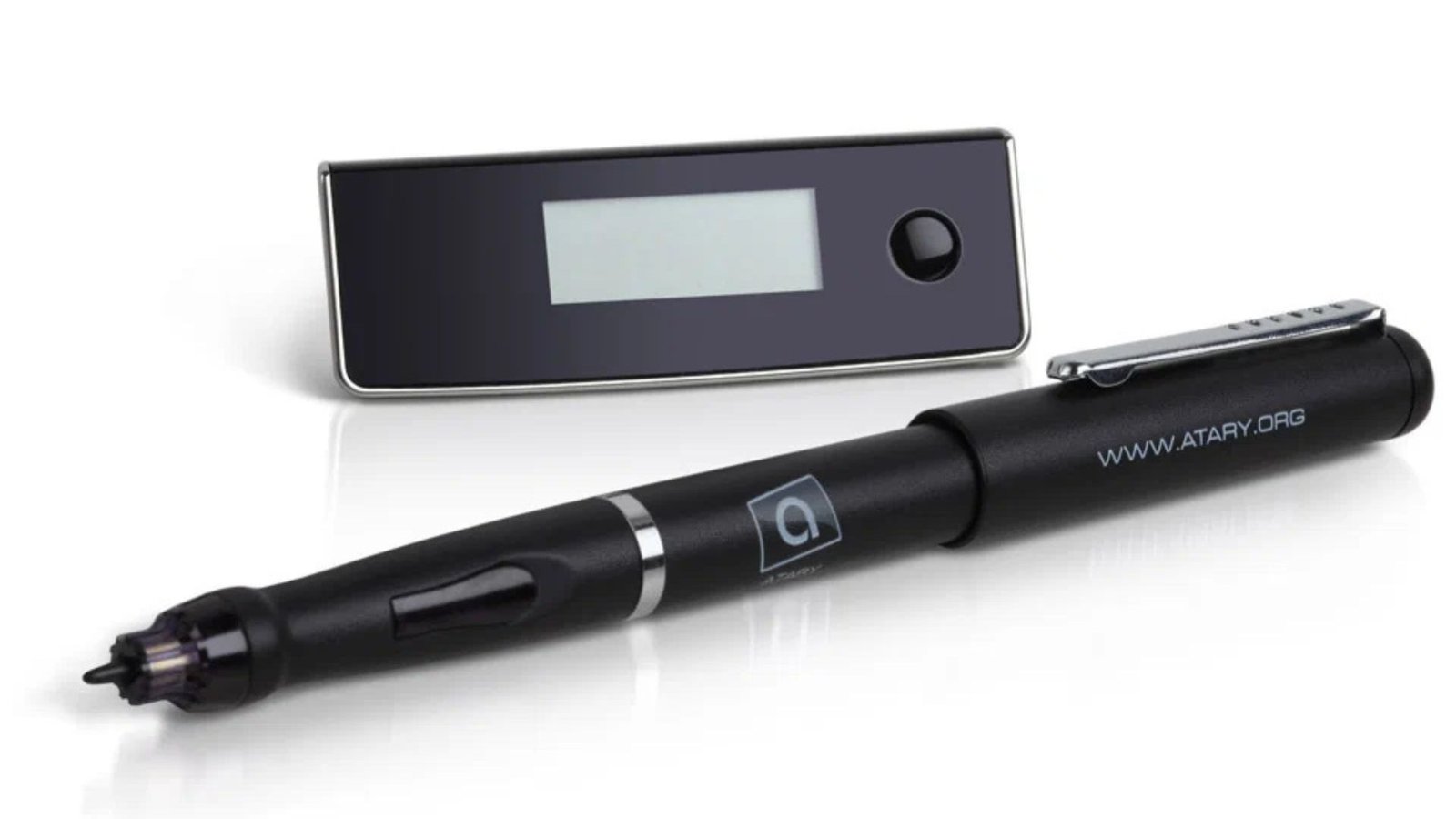
- Key Features: This pen writes with real ink on special “smart paper.” A tiny camera inside the pen captures and digitizes the handwritten notes and drawings in real-time, syncing them to an app. It can also record audio that links directly to the point where you were writing.
- Best For: Students and professionals who prefer the feel of writing on physical paper but need the instant backup and organization of digital notes. For more reviews on unique tech, check out The Verge.
Making Your Final Decision: Practical Considerations
Choosing the “best” Digital Pen is less about finding a universally superior model and more about selecting the right tool for your specific needs and existing devices.
For the Artist:
Prioritize Pressure Sensitivity (8192 levels is ideal), Tilt Recognition, and Low Latency. If you use an iPad, the Apple Pencil Pro is unmatched. For other systems, look for Wacom-licensed technology or the Samsung S Pen for Galaxy devices. Remember, a Digital Pen with top-tier artistic features is crucial for creating professional-level illustrations and designs.
For the Note-Taker:
Focus on Palm Rejection, comfortable Ergonomics, and reliable Battery Life. Low latency is still important for fast writing, but extreme pressure sensitivity is less critical. Tools like the Logitech Crayon or dedicated smart pens like reMarkable or Livescribe are excellent choices, depending on whether you prefer a traditional tablet or a paper-like E-Ink experience. Organizing your notes effectively is a breeze with features like quick-access buttons—learn more about digital organization techniques on breezytips.
Compatibility is Key!
Always double-check the compatibility of the Digital Pen with your specific tablet model. Not all styluses work with all devices, and using an incompatible pen can lead to a frustrating, low-quality experience.
Conclusion: The Future of Digital Input
The Digital Pen and stylus have evolved from simple pointing devices into sophisticated instruments that rival their traditional counterparts. With features like pressure-sensitive tips and seamless wireless charging, these tools are indispensable for modern digital work. Whether you’re sketching your next masterpiece, marking up a crucial document, or simply striving for cleaner, more organized notes, investing in the right Digital Pen will significantly boost your creative and professional productivity. By considering the features and top models reviewed here, you can confidently choose the tool that turns your tablet screen into a true digital canvas or notepad.