Skip to content
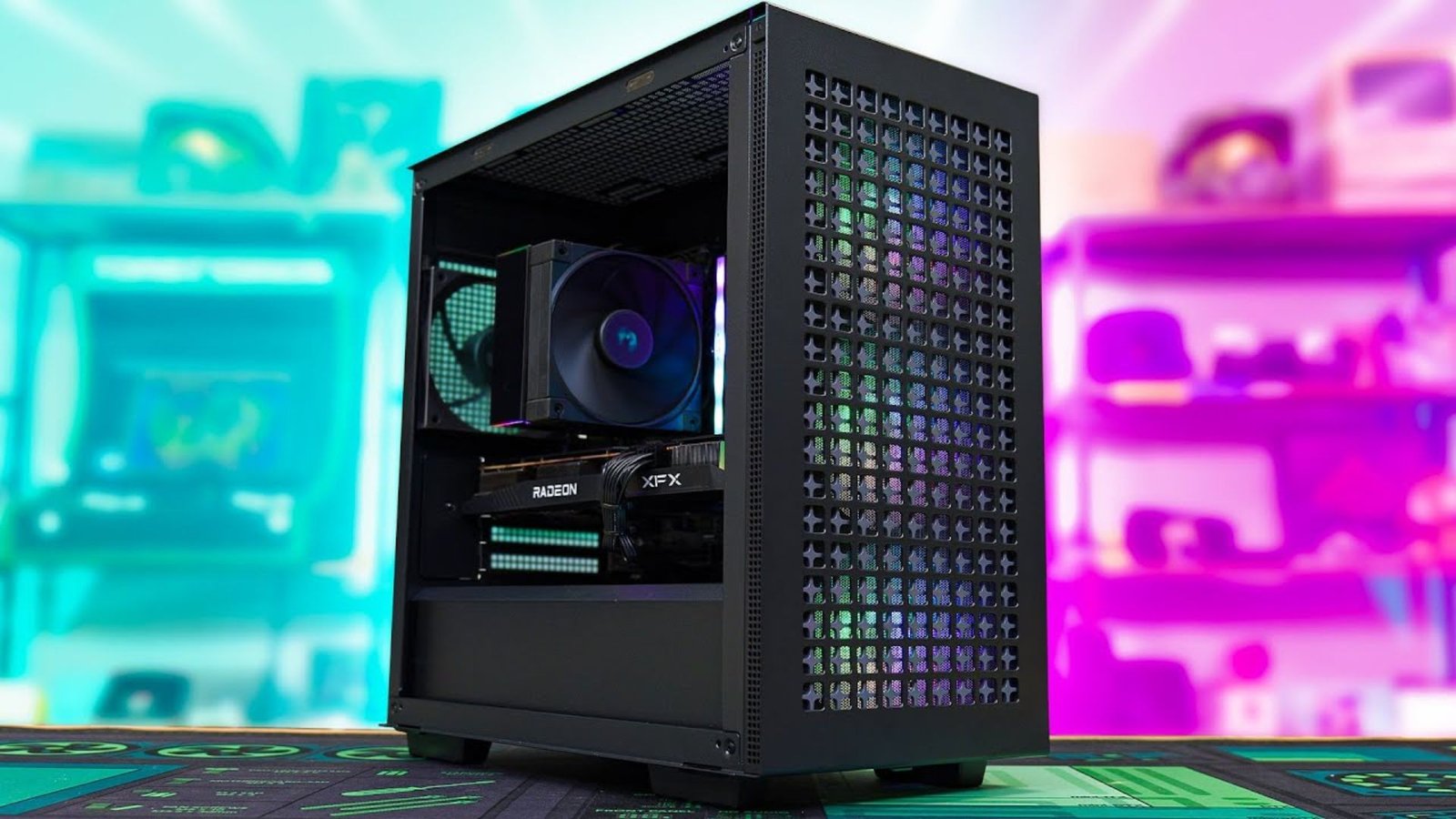
The dream of high-performance gaming shouldn’t require emptying your savings account. In 2025, building a powerful, future-ready machine while sticking to a sub-$800 budget is not only possible, but is a rewarding challenge that forces you to become a savvy shopper. This ultimate guide will walk you through the essential component choices, the vital philosophy of budget allocation, and the critical steps needed to construct the best Budget Gaming PC possible without compromise on the 1080p experience.
Table of Contents
The $800 Philosophy: Budget Allocation is King
When building a Budget Gaming PC, your money must be spent with surgical precision. The core principle is simple: prioritize the components that directly impact gaming performance (GPU and CPU) and find the sweet spot for the supporting parts (RAM, Storage, Motherboard, PSU, Case).
A typical budget allocation for a Budget Gaming PC build under $800 looks like this:
| Component | Suggested Budget Range | Percentage |
| Graphics Card (GPU) | $300 – $350 | 38% – 44% |
| Processor (CPU) | $100 – $130 | 12% – 16% |
| Motherboard | $80 – $100 | 10% – 12% |
| Memory (RAM) | $40 – $50 | 5% – 6% |
| Storage (SSD) | $50 – $70 | 6% – 9% |
| Power Supply (PSU) | $60 – $70 | 7% – 9% |
| Case & Cooling | $60 – $80 | 7% – 10% |
| Total | **~$740 – $850** | 100% |
Export to Sheets
Sticking to this structure is the key to maximizing performance. Never skimp on the Power Supply Unit (PSU); a reliable PSU is the lifeblood of your entire Budget Gaming PC and protects your expensive components.
The Core Components: CPU and GPU Selection
In any Budget Gaming PC build, the CPU and GPU are the dynamic duo that determines your frame rate. You should aim for a combination that prevents a “bottleneck,” where one component is too slow and holds back the potential of the other.
1. The Graphics Card (GPU)
The GPU is the single most important part of your Budget Gaming PC. For an $800 build in 2025, your goal is smooth, high-detail 1080p gaming, with a view toward entry-level 1440p in less demanding titles.
- Top Recommendations (2025 Budget Tier):
- NVIDIA RTX 5060: This card is the latest entry-level offering and is a fantastic choice for a new Budget Gaming PC. At around $320, it provides superior Ray Tracing capabilities and excellent fidelity for 1080p gaming.
- AMD Radeon RX 9060 XT: Often priced competitively with the RTX 5060, the Radeon RX 9060 XT typically offers slightly better raw performance in traditional rasterization, though it may lag behind in Ray Tracing. Its great value makes it a favorite for a pure frame-rate-focused Budget Gaming PC.
- The Smart Second-Hand Choice (Optional): If you are comfortable with the used market, a well-priced Radeon RX 6700 XT or NVIDIA RTX 3060 can offer performance that pushes above the $800 new build budget, freeing up cash for other parts. However, always exercise caution when buying used electronics.
2. The Processor (CPU)
AMD has historically offered the best value in the Budget Gaming PC space, and 2025 is no exception. We are looking for a powerful six-core processor that is cheap, efficient, and uses a motherboard socket with a great upgrade path.
- Best Value AM4 Platform:
- AMD Ryzen 5 5600: The reigning champion for the sub-$100 price bracket. This CPU is a powerful six-core, twelve-thread workhorse. Paired with a B550 motherboard, it’s the foundation of a very effective Budget Gaming PC.
- Best Future-Proofing AM5 Platform (Requires slight budget stretch):
- AMD Ryzen 5 7600X: While the CPU and its required DDR5 RAM and B650 motherboard will push the total cost slightly over $800, this option gives you access to the AM5 socket, guaranteeing a much longer and more powerful upgrade path. If your budget can stretch to $850, this is the superior foundation for your Budget Gaming PC because of the immense benefits of DDR5 and the AM5 platform.
The choice of CPU fundamentally dictates your motherboard and RAM selection—the next crucial steps in your Budget Gaming PC journey.
Supporting Cast: RAM, Motherboard, and Storage
Once the main processing components are chosen, it’s time to select the supporting cast to ensure stability and speed for your Budget Gaming PC.
3. Motherboard (Mobo)
The motherboard simply needs to be compatible with your CPU, have the necessary slots, and be reliable. Avoid expensive features like Wi-Fi if you plan to use an Ethernet cable, and pass on unnecessary RGB headers to keep the cost down.
- For Ryzen 5 5600 (AM4): A simple, reliable B550 Micro ATX (mATX) board is the best choice. Look for models from brands like ASRock or MSI that offer all the essential ports and NVMe SSD support.
- For Ryzen 5 7600X (AM5): A basic B650 mATX board is required. This will be more expensive than its AM4 counterpart but is essential for the superior performance and future-proofing of this platform.
4. Memory (RAM)
16GB is the minimum standard for any modern Budget Gaming PC. Anything less will result in stuttering and slow loading times in AAA titles.
- For AM4 (Ryzen 5 5600): Aim for 16GB (2x8GB) DDR4-3600MHz with a low CAS Latency (CL16 is ideal). This is the “sweet spot” speed for the Ryzen 5000 series.
- For AM5 (Ryzen 5 7600X): Aim for 16GB (2x8GB) DDR5-6000MHz with a low CAS Latency (CL30 is the goal). DDR5 is faster, but you must ensure you select the correct speed for the platform. For more detail on RAM specifications, you can check out this article on DDR5 vs DDR4 RAM speed differences.
5. Storage (SSD)
An NVMe SSD is non-negotiable for a snappy and responsive Budget Gaming PC. Don’t even consider a traditional Hard Disk Drive (HDD) for your main boot drive.
- Recommendation: A 1TB NVMe PCIe 4.0 SSD is the ideal choice in 2025. Prices have fallen drastically, and 1TB is the minimum you need for the operating system and a handful of large modern games. Look for budget-friendly but reputable brands like Kingston, Western Digital, or TeamGroup.
Power, Cooling, and Casing: The Foundation
These three components don’t improve your frame rate directly, but they are critical for the longevity and stability of your Budget Gaming PC.
6. Power Supply Unit (PSU)
Never, ever choose a generic, low-quality PSU. A cheap power supply can fail and take other expensive components with it.
- Recommendation: A reliable 650W, 80+ Bronze certified PSU is the target. This wattage provides ample, stable power for our chosen budget components and allows for future GPU upgrades without needing to replace the PSU immediately. Look for trusted names like Corsair, Seasonic, or MSI.
- Safety is Key: A highly-rated external resource like The PSU Tier List can provide invaluable guidance on selecting a safe, reliable unit. This is the one place where a small, extra investment secures your entire system.
7. Case and Cooling
Your PC case needs two things: good airflow and component compatibility. A lack of airflow will throttle your performance and shorten the life of your hardware.
- Case Recommendation: Look for affordable Micro ATX or Mid-Tower cases with a mesh front panel. Mesh designs prioritize airflow over flashy looks, which is perfect for a Budget Gaming PC. Models like the Cooler Master MasterBox series or certain Montech cases are great budget options that don’t skimp on ventilation.
- Cooling: If you opt for the Ryzen 5 5600, the stock cooler included with the CPU is sufficient to get you started, saving you $20-$30. However, a cheap aftermarket air cooler like the Thermalright Assassin X or a low-end Cooler Master Hyper 212 will significantly reduce noise and slightly improve performance under load.
The $800 Budget Gaming PC Build List (2025 Edition)
Based on the philosophy and component analysis, here is the ultimate Budget Gaming PC build for under $800, perfectly optimized for 1080p gaming in 2025.
| Component | Recommended Part (AM4 Platform) | Estimated Price |
| CPU | AMD Ryzen 5 5600 (Includes Stock Cooler) | $110 |
| GPU | NVIDIA RTX 5060 (8GB) or AMD RX 9060 XT (8GB) | $319 |
| Motherboard | ASRock B550M-HDV or similar reliable B550 mATX | $85 |
| RAM | 16GB (2x8GB) DDR4-3600 CL16 | $45 |
| Storage | 1TB NVMe PCIe 4.0 SSD (e.g., Kingston NV2, TeamGroup MP44L) | $65 |
| PSU | 650W 80+ Bronze (e.g., MSI MAG A650BN, Corsair CV650) | $65 |
| Case | Micro ATX Mid-Tower with Mesh Front (e.g., Montech Air X, Cooler Master Q300L V2) | $55 |
| Total Estimated Cost | **$744** |
This new Budget Gaming PC configuration is a powerful workhorse capable of pushing over 60 FPS on high settings in most modern AAA games at 1080p, while also being exceptionally well-suited for popular competitive titles. The leftover money in the budget can be put towards a necessary peripheral, like a high-refresh-rate gaming monitor, which is equally important to the gaming experience.
Maximize Performance: Budget Overclocking and Software
Building the Budget Gaming PC is only half the battle. To maximize your frame rate, you must optimize the system post-build.
1. Enable XMP/DOCP
This is the single most important, and easiest, step. Your RAM will default to a slow speed (e.g., 2400MHz) upon first boot. You must enter the BIOS/UEFI and enable the eXtreme Memory Profile (XMP) or Direct Overclock Profile (DOCP) to run your RAM at its advertised, much faster speed (3600MHz in our build). This alone can boost your frame rate by 10-20% in certain CPU-intensive games.
2. GPU Driver Updates
Always download the latest GPU drivers directly from the NVIDIA or AMD websites. These drivers often contain specific game optimizations that are critical for extracting the maximum performance from a Budget Gaming PC. Regularly check for and install new drivers to ensure you’re getting the most out of your RTX 5060 or RX 9060 XT.
3. Smart Game Settings
Even with the best Budget Gaming PC, knowing which settings to tweak is key. In-game settings like Anti-Aliasing (AA) and Shadow Quality often have the biggest impact on performance with the smallest visible change in quality. Turn down those two settings before touching texture quality. Many modern GPUs also support upscaling technologies like NVIDIA DLSS or AMD FSR, which render the game at a lower resolution and use AI to intelligently upscale it, providing massive frame rate gains with minimal visual loss.
Final Verdict on the $800 Budget Gaming PC
The $800 price point for a Budget Gaming PC represents the pinnacle of value, delivering an experience that dramatically surpasses modern consoles for flexibility and graphical options. By focusing your spending on the GPU (the RTX 5060 or RX 9060 XT) and pairing it with the incredible value of the AMD Ryzen 5 5600 platform, you create a machine that is the perfect gateway into high-quality 1080p PC gaming.
Remember the three pillars of a great Budget Gaming PC: prioritize the GPU, use an NVMe SSD for speed, and enable XMP/DOCP for free performance. By following this guide, you will not only stay comfortably under the $800 limit but will possess a system that punches far above its weight class for years to come. This intelligent approach to component selection is how you win the price-to-performance war. The search results show an example of a $700 build in a recent YouTube video from July 2025, which demonstrates the reality of these price points.