 Skip to content
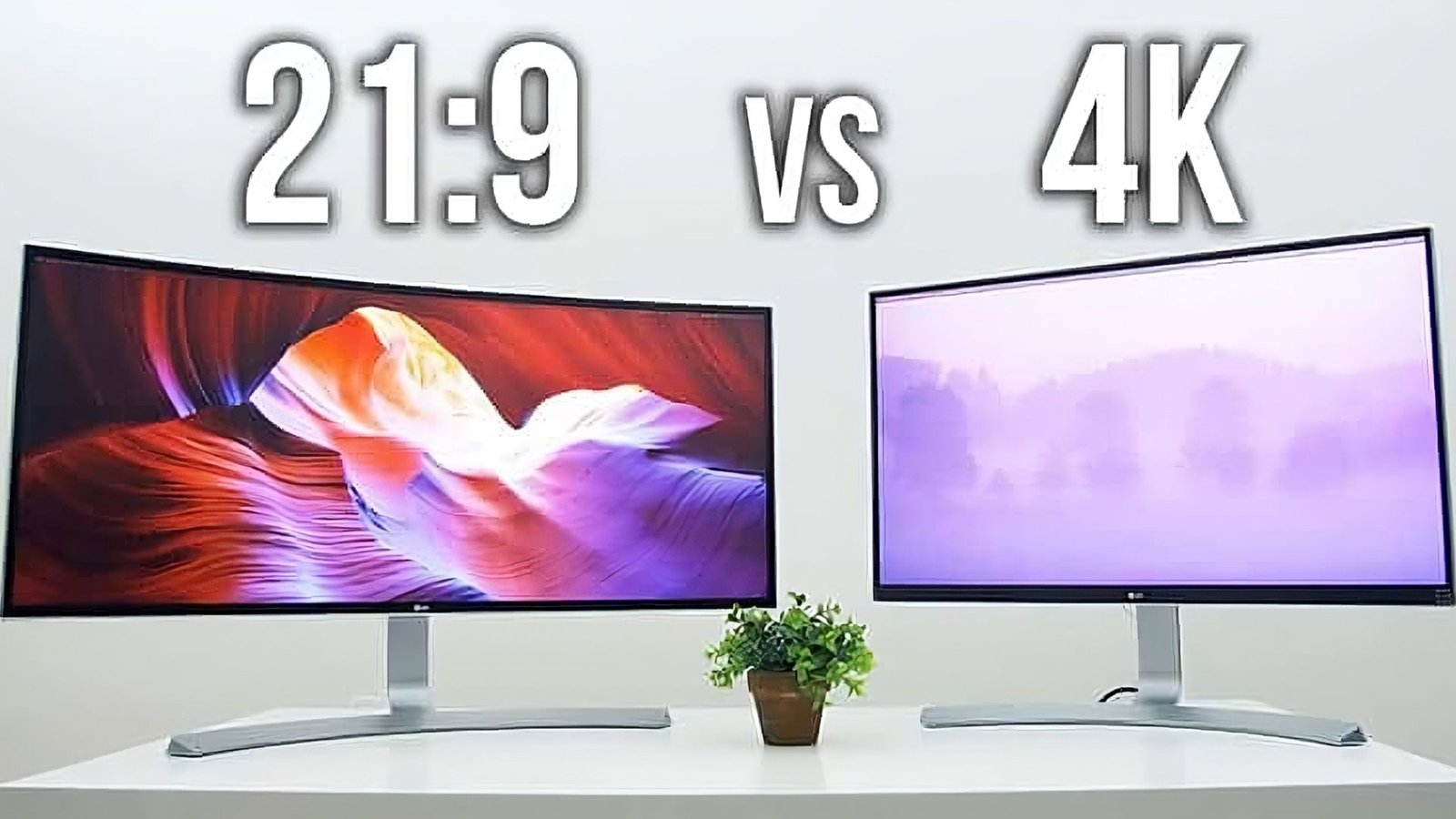
The modern workspace is evolving, and at the heart of this transformation is the display we use every day. For professionals, content creators, and dedicated multitaskers, the choice between a dedicated 4K Monitor and an expansive ultra-wide screen has become a pivotal decision. Both options promise a significant upgrade from the traditional 1080p setup, but they excel in different areas of productivity. Understanding the nuances of each is essential to finding the perfect digital canvas that maximizes your efficiency and enhances your workflow.
This in-depth guide will break down the key differences, analyze the pros and cons for various professional tasks, and help you determine which format will truly unlock your productivity potential.
Table of Contents
The Contenders: A Closer Look at Resolution and Aspect Ratio
Before diving into specific use cases, let’s clarify the fundamental characteristics of our two contenders:
1. The 4K Monitor (Ultra High Definition – UHD)
A traditional 4K Monitor typically adheres to the 16:9 aspect ratio, the same format as most standard monitors and TVs. The key feature is the sheer number of pixels: a resolution of 3840 x 2160.
- Key Feature: Pixel Density. For a standard 27-to-32-inch screen, this resolution packs a tremendous amount of detail. This high pixel density makes text incredibly crisp and images stunningly sharp.
- Best For: Tasks requiring high visual fidelity, such as photo editing, video editing, graphic design, and any work where seeing minute details is critical. It essentially offers four times the pixels of a 1080p (Full HD) display, providing superior clarity.
2. The Ultra-Wide Monitor
Ultra-wide monitors break from the standard 16:9 mold, most commonly utilizing a 21:9 or even a super-ultra-wide 32:9 aspect ratio. While resolution varies, a popular choice is 3440 x 1440 (Ultra-Wide Quad HD or UWQHD).
- Key Feature: Horizontal Screen Real Estate. The ultra-wide format provides a massive horizontal workspace. It’s like having two standard 16:9 monitors seamlessly merged into one, without the disruptive bezel gap in the middle.
- Best For: Multitasking, data analysis, coding, timeline-based video editing, and any workflow that benefits from seeing several large windows side-by-side.
🔑 Productivity Breakdown: Where Each Screen Excels
The perfect screen choice depends heavily on your primary professional activities. What enhances a programmer’s workflow might be a hindrance to a photographer.
The Case for the 4K Monitor
| Productivity Task | Why 4K Wins | 4K Monitor Benefit |
| Graphic Design & Photo Editing | Unmatched detail and pixel-perfect viewing. | You can view a 4K image at its native resolution (1:1 pixel mapping) or have ample space for tool palettes and windows around a high-resolution canvas. 4K Monitor clarity is essential for color-critical work. |
| Video Production | Editing native 4K footage. | A 4K monitor allows you to view your 4K video footage in full resolution while still having room for your timeline and effects panels. |
| Reading and Document Editing | Superior text clarity. | The high PPI (Pixels Per Inch) of a good 4K Monitor ensures text is exceptionally sharp, reducing eye strain over long periods—a crucial factor for writers, lawyers, or anyone spending hours with documents. |
| High-Fidelity Gaming | Stunning visual detail and immersion. | While ultra-wides offer immersion, the highest level of graphical detail often comes from a native 4K Monitor experience, provided you have a powerful enough GPU. |
The incredible detail and pixel density of a 4K Monitor truly shines in fields where visual precision is non-negotiable. For a deep dive into optimizing display settings.
The Case for the Ultra-Wide Monitor
| Productivity Task | Why Ultra-Wide Wins | Ultra-Wide Monitor Benefit |
| Extreme Multitasking | Seamless, expansive horizontal space. | Eliminates the bezel dividing two monitors. You can easily snap three or four windows side-by-side—perfect for having a communication app, a browser, and multiple documents open simultaneously. |
| Coding and Programming | Viewing extensive code lines and documentation. | Developers can have their code editor on one side and API documentation or a web preview on the other, without constant switching. This continuous horizontal flow aids in managing large files or scripts. |
| Spreadsheet and Data Analysis | Maximum row and column visibility. | An ultra-wide screen allows finance professionals and data analysts to view significantly more columns in a large Excel sheet or multiple charts simultaneously, dramatically improving data comparison. |
| Video and Audio Timeline Editing | Extended timelines. | The 21:9 aspect ratio provides a massive, uninterrupted timeline, which is invaluable for video and audio editors who need to zoom out and see the whole project’s flow without endless scrolling. |
Many ultra-wide monitors are curved, providing a more natural and immersive viewing experience by keeping all points on the screen equidistant from your eye. This is especially true for the super-ultrawide 32:9 models.
⚖️ Pixel Density vs. Screen Real Estate
The core of the “4K Monitor vs. Ultra-Wide” debate boils down to one fundamental trade-off: pixel density (4K) versus expansive horizontal real estate (Ultra-Wide).
- Pixel Density: The 4K Monitor almost always wins in PPI (Pixels Per Inch) when compared to a comparably sized ultra-wide (e.g., a 27-inch 4K monitor vs. a 34-inch ultra-wide). Higher PPI means sharper text and finer image detail, which is why creatives often prefer the clarity of a 4K Monitor.
- Screen Real Estate: Ultra-wides win by providing an enormous, unbroken canvas for arranging multiple windows. While a 4K monitor can display four 1080p windows simultaneously, the scaling required to make the text legible can negate the benefit. The ultra-wide’s horizontal stretch is inherently better suited for side-by-side workflows.
Technical Considerations for Your Setup
Choosing the right monitor isn’t just about the screen itself; it’s about what drives it.
- Graphics Card (GPU): Driving a 4K Monitor requires a significantly more powerful GPU than an ultra-wide, especially for gaming or resource-intensive tasks like 3D rendering. The total pixel count of a 4K monitor (8.3 million pixels) is higher than the common 3440×1440 ultra-wide (4.9 million pixels). Make sure your PC can handle the required rendering workload. Read more about choosing a GPU for your high-resolution display on TechRadar for external validation.
- Scaling and OS Support:
- 4K Monitor: Often requires some level of scaling (e.g., 150%) in Windows or macOS to make text readable. While the image remains sharp due to high PPI, you may lose some of the potential workspace size.
- Ultra-Wide: Generally requires little to no scaling (100%), but you may need window management software (like FancyZones on Windows) to effectively divide the vast horizontal space into organized zones.
- Future-Proofing: Both technologies are advancing rapidly. Newer, higher-resolution ultra-wides (like 5120×1440 or 5K2K, often referred to as “5K ultra-wide”) are starting to bridge the gap in total pixels, offering a middle ground between the two formats. Conversely, as monitor technology advances, even budget-friendly 4K Monitor options are gaining better features like higher refresh rates and improved color gamut.
🎯 The Final Verdict: Choosing Your Perfect Productivity Screen
The choice between a 4K Monitor and an ultra-wide display is a personal one, dictated by your professional needs and daily workflow.
✅ Choose the 4K Monitor if:
- Your work is visually and color-critical: Photography, graphic design, high-resolution video editing.
- You demand the absolute sharpest text and image detail for long periods of focus.
- You already have a powerful graphics card capable of handling the 8.3 million pixels of a 4K Monitor.
- You prioritize a traditional 16:9 aspect ratio for full-screen viewing of standard content, a common format on popular platforms like YouTube.
✅ Choose the Ultra-Wide Monitor if:
- Your work is workflow-intensive and multitasking is key: Programming, financial analysis, large spreadsheets, project management.
- You use multiple applications side-by-side and want to eliminate the seam of a dual-monitor setup.
- You spend a significant amount of time in timeline-based applications (video editing, music production).
- You value a clean, single-screen aesthetic over the complexity of a dual monitor array. Consider how a clean setup can impact your focus, as discussed in our website article.
The Hybrid Approach: Best of Both Worlds
It’s important to note that you don’t always have to choose. Many professionals opt for a hybrid setup, combining a large ultra-wide as their primary monitor for maximum screen real estate and a secondary vertical 4K Monitor for sharp document viewing, communications, or viewing a full-size image preview. This combination allows you to leverage the strengths of both formats.
Ultimately, the goal is to optimize your workspace to reduce friction and increase flow. Whether you opt for the pixel-rich clarity of a 4K Monitor or the expansive continuity of an ultra-wide, the right display will be an investment that pays dividends in daily efficiency and long-term comfort.






